Icophony

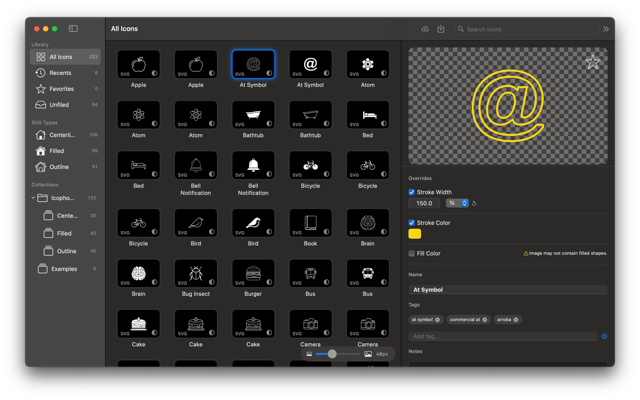
Icophony is my newest app, an icon manager app. Manage and access your icon library. I made this app because I have a pretty big collection of icons I use for presentatations at work. Icophony makes it easy to use and customize icons from my collection without disrupting my workflow. Try it out!

tesLAX CANBus Visualizer

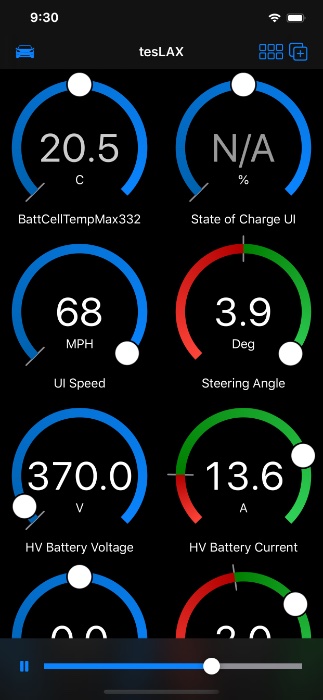
tesLAX is a CANBus Explorer and visualization tool. While it may be useful for other vehicles, such as the Model S and X, tesLAX was specifically designed with the Tesla Model 3 in mind. ** tesLAX can connect to an OBDLink MX+ bluetooth adapter to show live CANBus data from your vehicle. Additional wiring, and installation is necessary. Damage done to your vehicle may not be covered by vehicle warranty. Proceed at your own risk. ** Other FREE features of the app include:
  • Predefined visualization with many useful signals for the Tesla Model 3, S, and X.
  • Out of the box signal database with currently known signals from the Tesla Model 3.
  • Designed to analyze and visualize CANBus data with 11-bit message identifiers.
  • Works with the ScanTool OBDLink MX+ (required for iOS compatibility, this is the ONLY supported accessory)
  • Playback CANBus log files from iCloud Drive if you don’t have a compatible bluetooth adapter or want to explore a previous log. Support raw TXT logs and the CANBus ASC file format.
With an “Extended Release” purchase or subscription:
  • Configure the visualization by choosing signals from the included signals database.
For pros, and tinkerers, an “Extra Strength” purchase or subscription unlocks additional features:
  • Modify the signal database allowing you to create and explore new messages and signals. Maintain your own signal configuration as the vehicle manufacturer changes the available messages and signals.
  • Ability to import DBC files (containing signal definition information) from iCloud Drive
  • A “Binary Matrix” view of a message or signal for reverse engineering data streams,.
  • Use javascript code to calculate a result value from the raw message bytes (or other defined signals within the same message)
This software is not affiliated with or endorsed by Tesla Motors or any vehicle manufacturer. This app accesses data streams that are not documented or supported by the vehicle manufacturer. If the vehicle manufacturer decides to change the data stream, then this app may display incorrect information. If the vehicle manufacturer removes data, then some or all functionality of the app may cease to work. Many signals in the signal database may be from previous versions of the vehicle operating software (such as the Model 3 cell voltages, which were removed in a software update many updates ago) You are responsible for all risks of installing and using 3rd party hardware in your vehicle. Proceed at your own risk. Do not use tesLAX while driving. Please obey all traffic laws and do not drive while distracted. You accept full and unconditional responsibility for the use of this software. All About Jake, LLC is not responsible for any consequences of using this software, including any damage to your vehicle, loss, damage to property, personal injury, or violation of law that may occur in connection with using this application. Obey all laws and respect the privacy of others. THE SOFTWARE IS PROVIDED “AS IS”, WITHOUT WARRANTY OF ANY KIND. The author(s) and copyright holders shall not be liable for any damages, even if advised beforehand of the possibility of such damages.


A pseudo-airgapped offline wallet for cryptocurrency

PiZeroWallet#

A pseudo-airgapped offline hardware wallet for cryptocurrency

Introduction#

For various reasons, I have been experimenting with the Bitcoin and Etherium currencies. While I do not have a vast fortune, I still wanted to generate and store my private keys in a safe and secure manner.

What I really wanted was a Leger Nano S. These at the time, however, are backorered for months. So I started to explore methods for generating and storing keys.

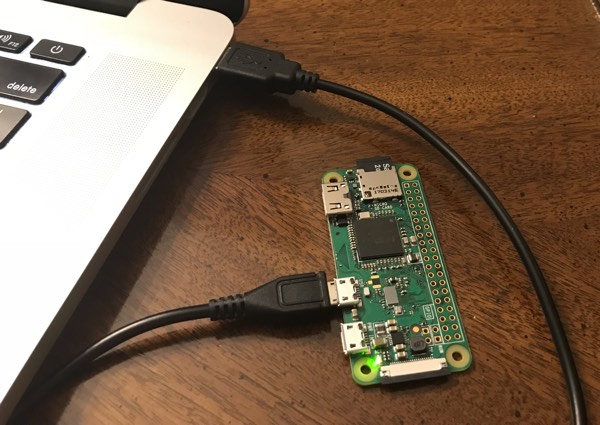
I decided the Raspberry Pi Zero 1.3 was an good platform for this endevor:

Pi Zero (this is a Pi Zero W I am using for development)

Continue Reading »

Stratux Case for RY836AI

Stratux Case

Stratux is a project to provide ADS-B data to ‘electronic flight bag’ apps. It can receive “next gen” transponder information, as well as weather and advisories from ground stations. A GPS module provides location, and gyros, accelerometers, magnetometers, and pressure transducers can even provide limited attitude and heading reference (AHRS)

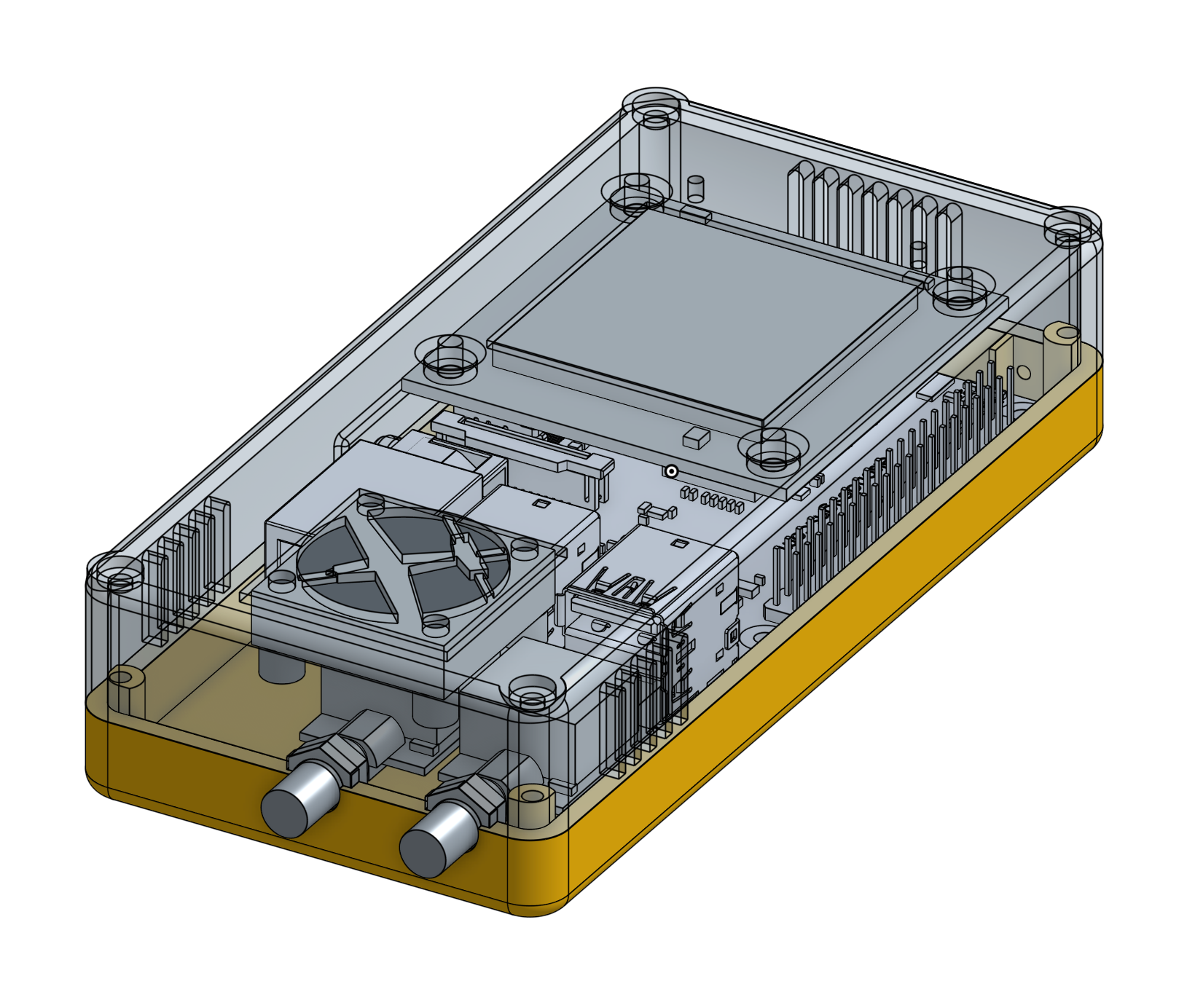
I took some time to design a nice case that holds all the components. I designed a “HAT” for the Raspberry Pi that holds the GPS module and provides fan control. (Originally this Pi Hat had GPIO 4 controlling the fan. I’ve updated the design to use GPIO18, which is used by other Stratux fan controllers and by the software. I have not made or tested this revision.)

Continue Reading »

Overview of an Operational WiFiBoard

This video was made to to help @indigi_newton with troubleshooting his wifi card build. Even though the video is from the perspective of helping a single person troubleshoot a card, it is still a nice overview with a demonstration of it working in a Newton.


3D Printed Port Cover

Since the MP2x00 did not come with an internal modem (and one was never sold), each MessagePad came installed with a little plastic cover that fills the space where the RJ-11 jack would be.

This is the same cover where apple would place a “2100” sticker indicating that a MP2000 was upgraded to a 2100.
Due to an oversight, the WiFi card extended into the area where this plastic cover would sit.  (I’m not sure this could have been avoided, even if I had planned ahead)

Continue Reading »

WiFi Board v1.1

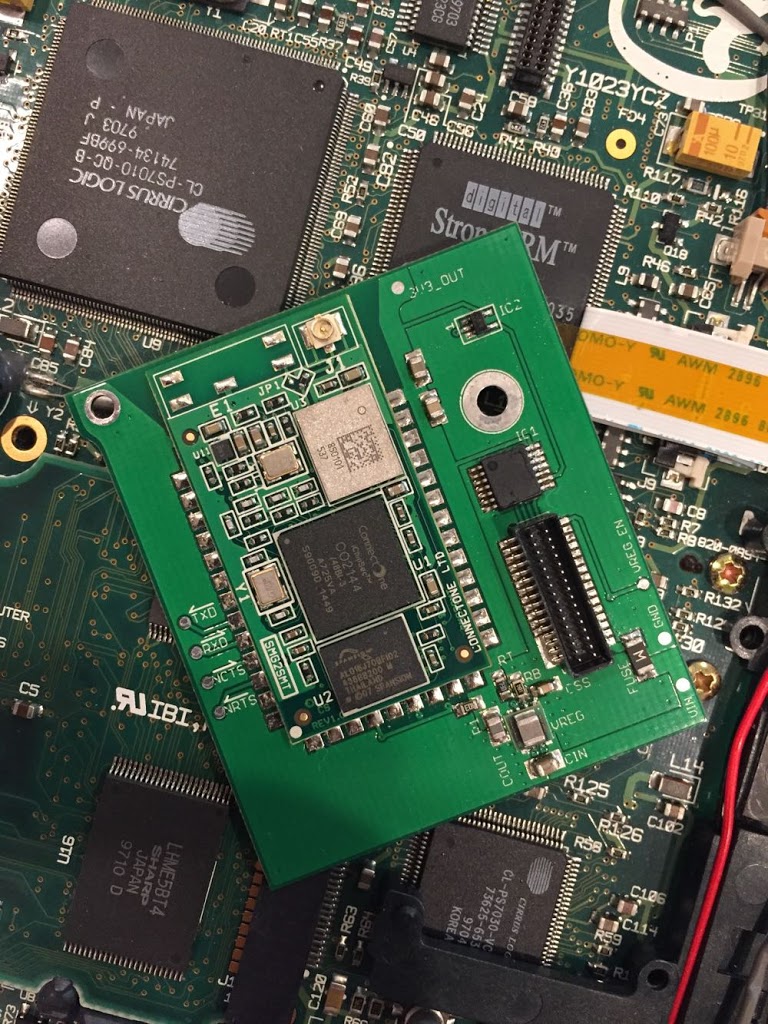
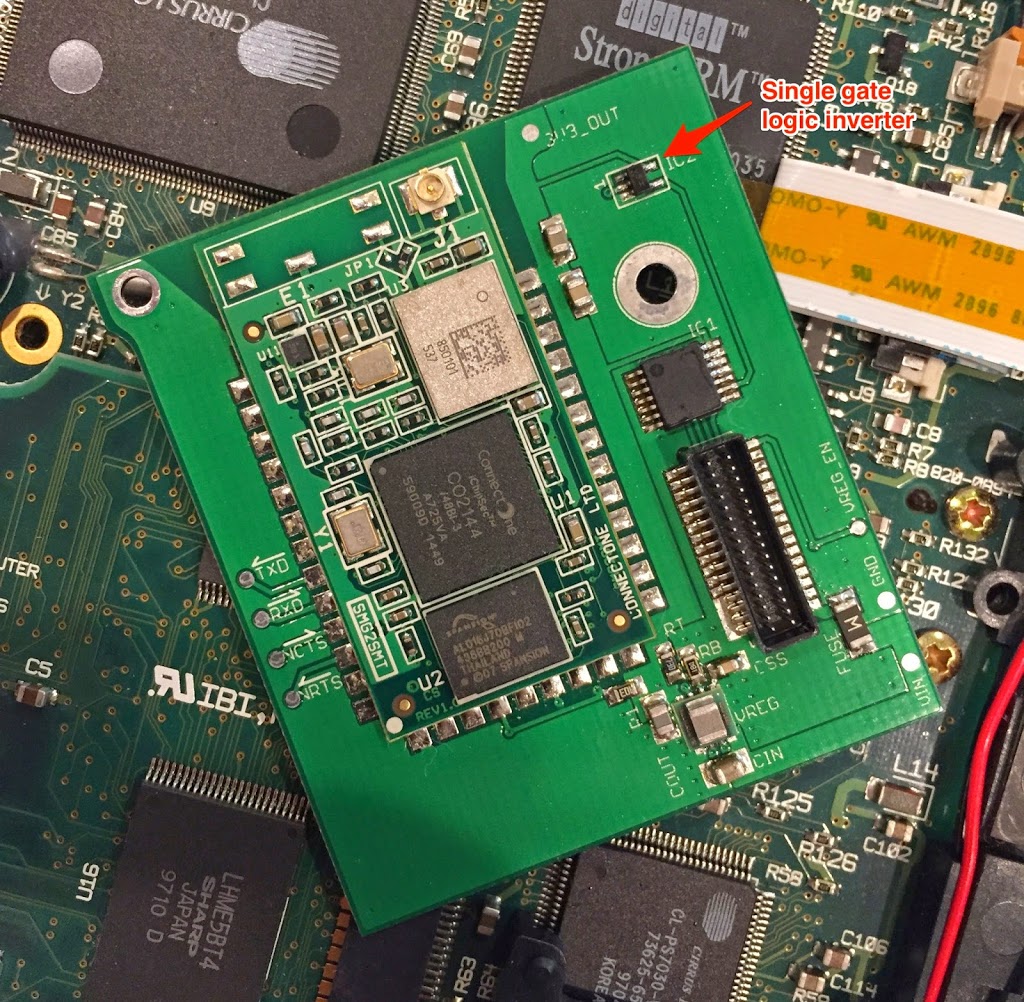
I got the revised boards and finally found some time to assemble a board.  This board adds a logic inverter to fix the flow control, and removes some extra traces for an alternate reset circuit.

To assemble the board, I had a stencil made and used it to apply solder paste.  Then I placed the components using a very simple “pick and place” rig:

Continue Reading »

Thermal Performance and Loose Ends

Thermal#

Early designs used a linear regulator to supply 3.3v from the Newton’s battery voltage.  It became pretty obvious that a linear regulator would get too hot, and so I changed it for a switching regulator.

I wanted to do a real world test.  The WiReach specs say that it can draw around 350mA peak during transmit.  I modified the Thumb sample code into a program that would output a continuous stream of ~25kB packets.  I taped a thermocouple to the regulator and ran the test for an hour or so.

Continue Reading »

An ugly fix

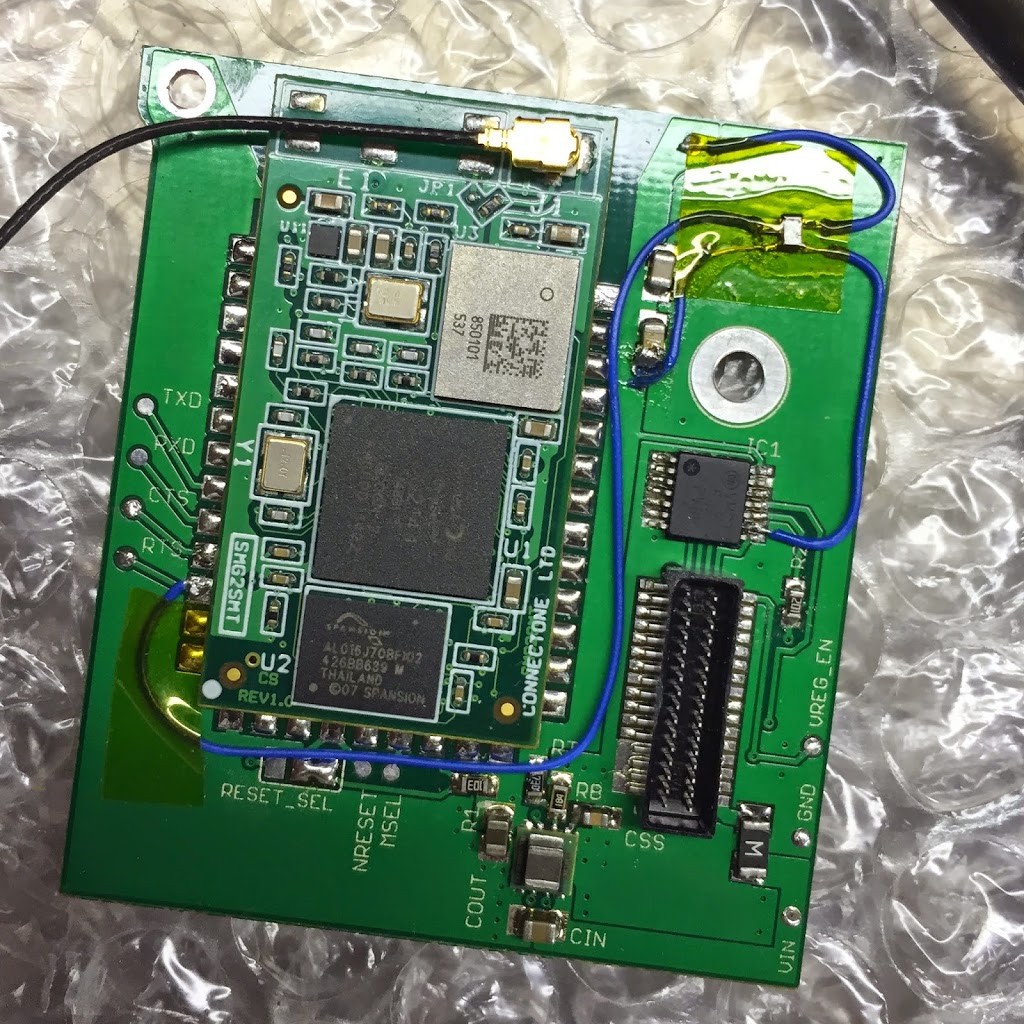
It is ugly, but it works:

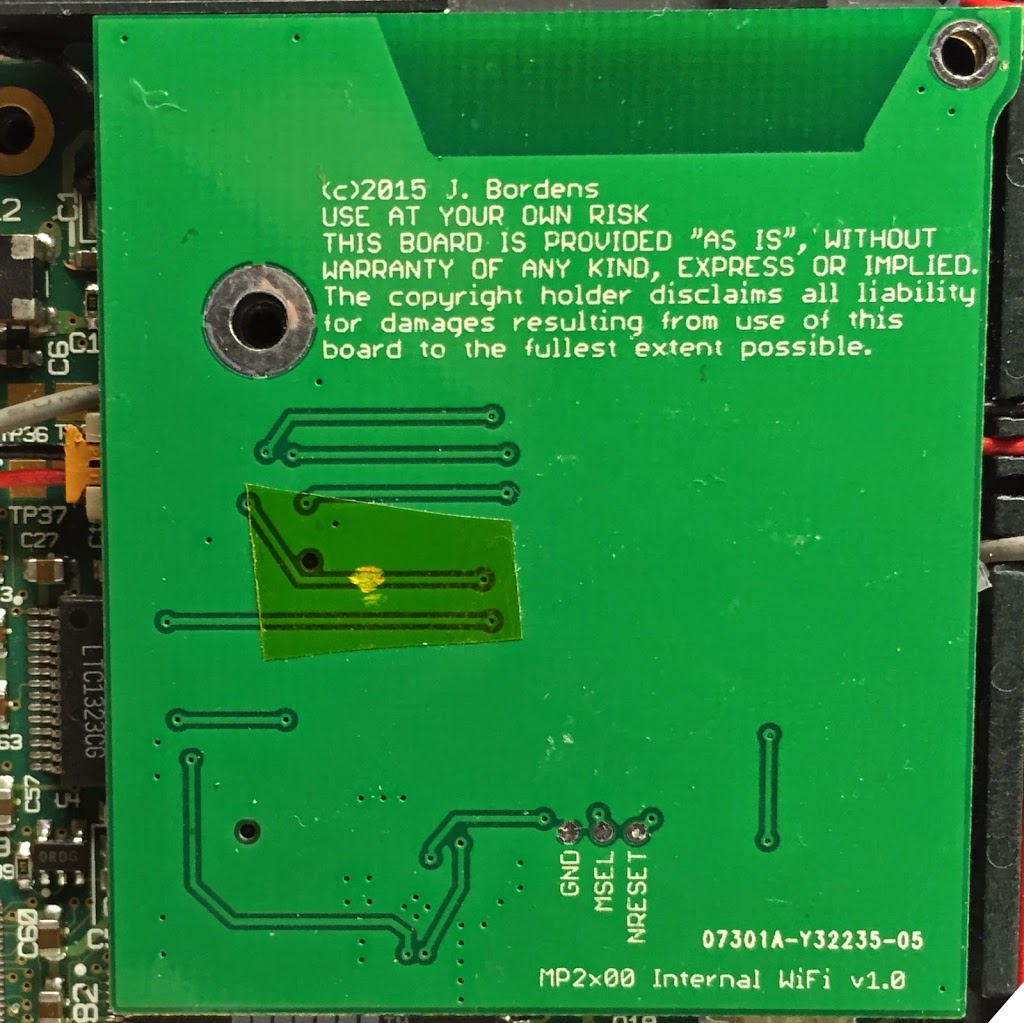
I soldered leads to a 1-gate logic inverter.  This wasn’t easy because the part is so small.  Then connect it to 3.3v, GND, and the RTS line coming out of the WiReach.  Then I cut the RTS trace on the bottom of the board.  I connected the output of the inverter to the input of the line driver IC.

Continue Reading »